
For IFPRI: a government data dashboard whose page design and logic are generated from a configuration.
01 Dashboards and data visualisation
Data visualisation services and dashboards that people actually use to decide
Tailwebs provides data visualisation services and builds dashboards, from connecting and cleaning the data to public charts, maps and automated reports. We built a config-driven government data dashboard for IFPRI, the MobiliseHER dashboard for WRI India, and GFC's EV and Renewables India dashboards. A dashboard project typically costs ₹4–12 lakh and takes 4–8 weeks.
Intelligent Dashboard from ₹4 lakh, 4–8 weeks
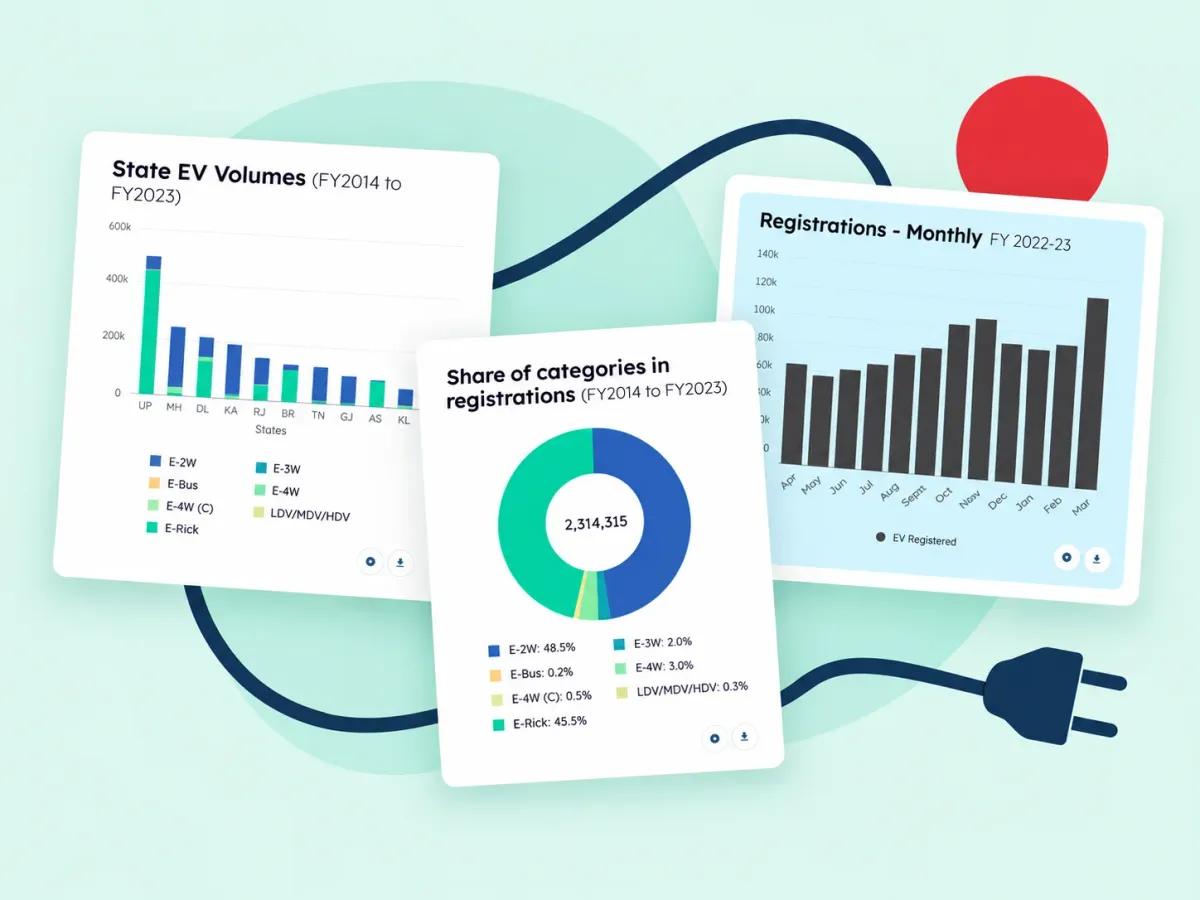
- 01 Dashboard
₹4–12 lakh
- 02 Single source
From ₹3 lakh, under 10 views
- 03 Time
4–8 weeks, KPI workshop first
- 04 Built
IFPRI; MobiliseHER; GFC EV; Renewables India with the CEA
02 Sample views
Interactive data visualisation: sample views and the decisions they support
Every chart earns its place by the decision it informs. The GFC dashboards below are used 10,000+ times a month, including by state agencies.
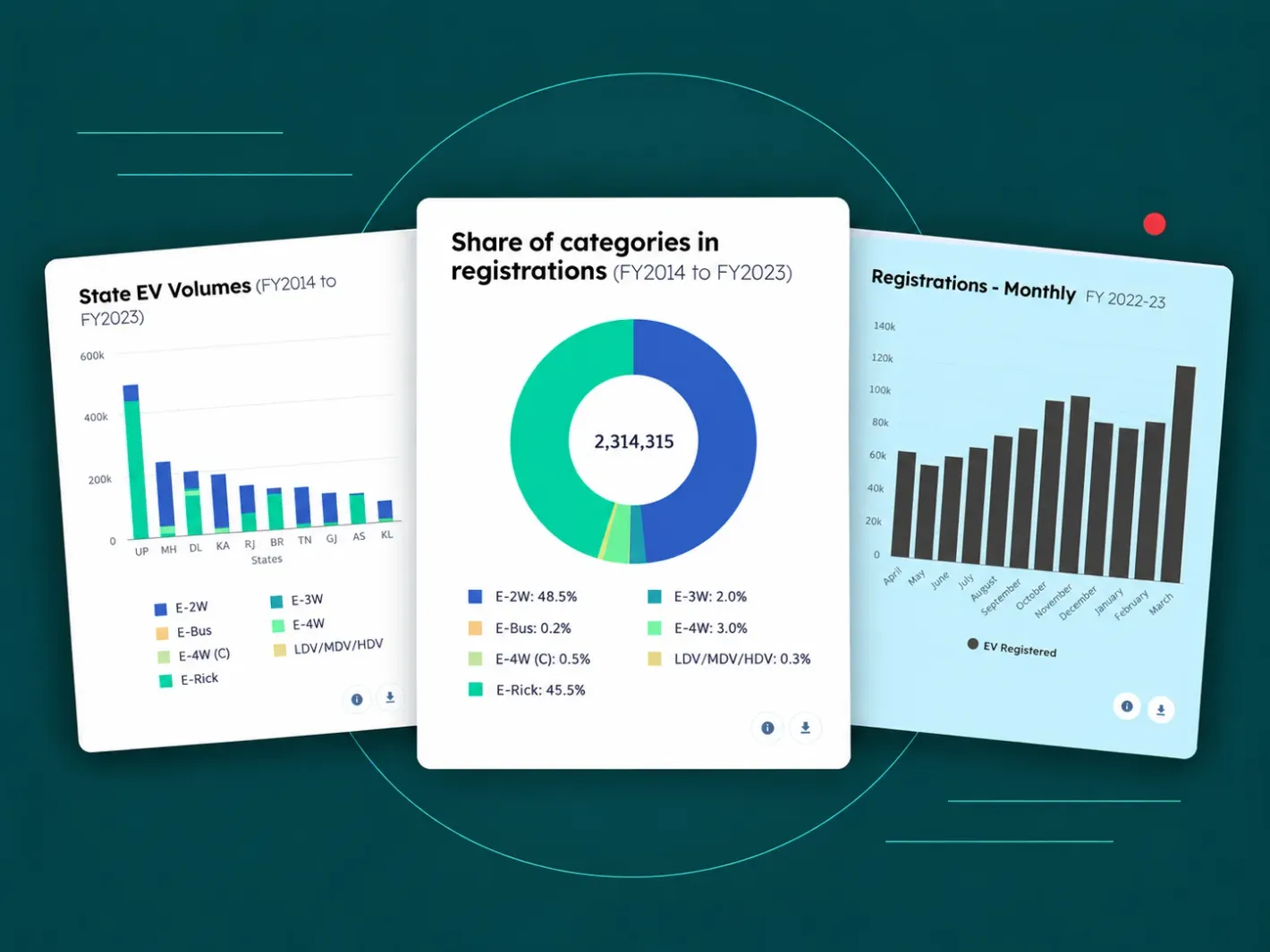 01/04GFC · EV dashboard
- Who reads it
- Policymakers, researchers and EV financiers.
- The decision it supports
- Which states and vehicle segments to prioritise for EV policy and finance.
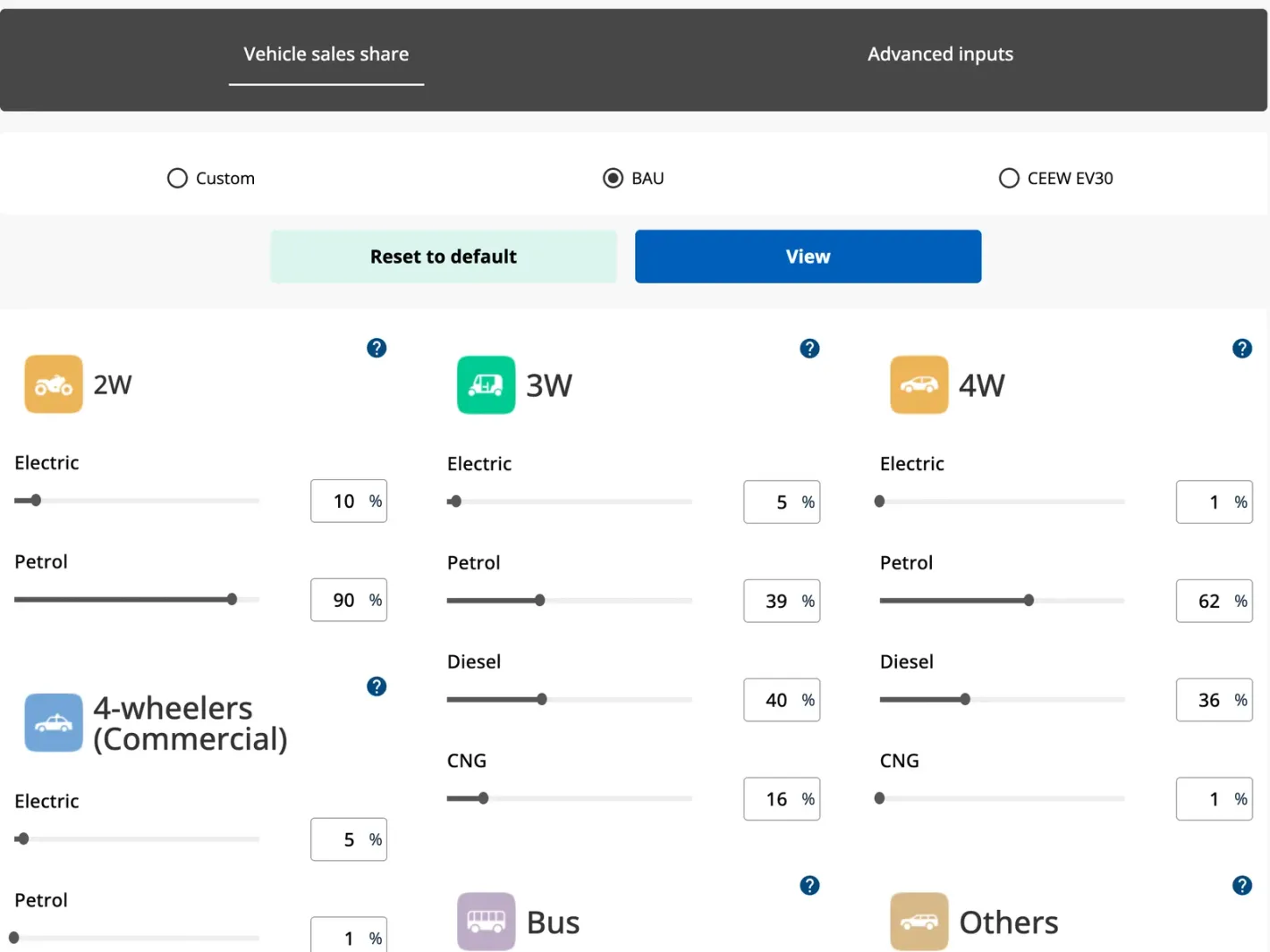 02/04GFC · EV dashboard
- Who reads it
- Policymakers and investors planning for EV adoption.
- The decision it supports
- How fast EV sales may grow to 2030, to plan charging and finance.
- 03/04GFC · EV dashboard
- Who reads it
- Analysts who need districts and transport offices, not just states.
- The decision it supports
- Where EV uptake is ahead or behind, transport office by transport office.
- 04/04Renewables India · with the CEA
- Who reads it
- Energy planners and researchers.
- The decision it supports
- Which states are adding renewable capacity, against the national picture.
We also built the MobiliseHER gender-mobility dashboard for WRI India, on household-survey data for Bengaluru, Kochi and Ahmedabad, and a data dashboard for the Sikkim government during COVID.
See the GFC EV dashboard and Renewables India on our work page.
Energy and climate data? See energy and climate.
03 Start with the decisions
How do we decide what goes on the dashboard?
We start from the decisions, not the data: a KPI workshop agrees who reads it, which decisions it serves and which 5–10 numbers matter. These steps are where dashboards differ from our usual process.
KPI workshop
Who reads the dashboard, which decisions they make, and the 5–10 numbers that serve them. The rest stays off the first screen.
Data
We list the sources, clean and connect them, and agree how often the numbers refresh.
Design
Wireframes of each view, tested with real readers before anything is built.
Ship and train
The dashboard goes live, and your team learns to update data and text from the admin panel.
Reporting to funders? See NGO dashboards and websites.
04 Sources and refresh
Can you connect our sources and keep it refreshed?
Yes: we connect spreadsheets, databases, business systems and public data releases, refresh the dashboard from them, and add an admin panel for manual uploads.
Building a public data portal with downloads and an API? See public data portals and dashboards for how we audit, pipeline and keep public data fresh. For the pipeline and backend behind a dashboard, see Python web development services.
- Spreadsheets
- Excel files and shared sheets, cleaned once, then read again on every refresh.
- Databases and business systems
- Read directly where access allows, so the numbers match the source.
- Public data releases
- Official datasets brought in as they are published.
- Refresh
- On a schedule that matches how often the source changes, so nobody rebuilds charts by hand.
- Automated reports
- Reports generated from the same data, as on the Renewables India dashboard.
- Admin panel
- Your team uploads files and edits text without a developer.
05 BI tool or custom build
When is a BI tool enough?
When a small internal audience asks fixed questions of data that already sits in one place, a BI tool your team already licenses is often enough, and we will say so. We can still prepare the cleaned data behind it.
A custom build fits when the dashboard is- Public
- Branded
- Embedded in your product
- Map-heavy
- Combining sources a BI tool can't reach
Need a calculator or a form rather than charts? See tool digitalisation. Tracking secondary sales and trade schemes? See distributor management apps and sales dashboards.
06 Pricing
Dashboard development: price and timeline
Two sizes: a single-source dashboard, or the Intelligent Dashboard package when the data comes from several sources.
- Single source
Single-source dashboard
One data source and under 10 views, designed around the decisions from the KPI workshop.
₹3–6 lakh
$4,000–7,500
- Package
Intelligent Dashboard
Data sources connected and cleaned, a dashboard designed around decisions, and handover.
₹4–12 lakh
$5,000–15,000
4–8 weeks
What moves the price: data cleaning and the number of sources.
Open-data portals and public dashboard suites are priced on the data portals page linked above. Every package is on pricing.
07 FAQ
Questions about dashboard development.
What does a dashboard development company in India charge?
At Tailwebs, a single-source dashboard with under 10 views typically costs ₹3–6 lakh, and multi-source dashboards ₹4–12 lakh, driven by data cleaning and the number of sources.
Our data is messy and spread across spreadsheets. Can you still help?
Yes: cleaning and connecting the data comes straight after the KPI workshop in every dashboard project, before any chart is designed.
Can you build on our existing BI tool?
We mainly build custom dashboards. If you already license a BI tool and your needs are internal and fixed, we will tell you when it is enough, and we can prepare the cleaned data behind it.
Can different people see different data?
Yes. Access can be set by role, so each person or team sees only the data meant for them, and an admin sees everything.
How long does a dashboard project take?
The Intelligent Dashboard package takes 4–8 weeks, starting with a KPI workshop and data cleaning before any view is designed.