01 Android

Android app development company, from first build to Google Play

Tailwebs is an Android app development company in Bengaluru that designs, builds and launches Android apps through Google Play release. Founded in 2015, we have delivered 200+ projects, and we publish and run three apps of our own on Google Play. Android work starts with your users' phones, network and habits, then the screens.
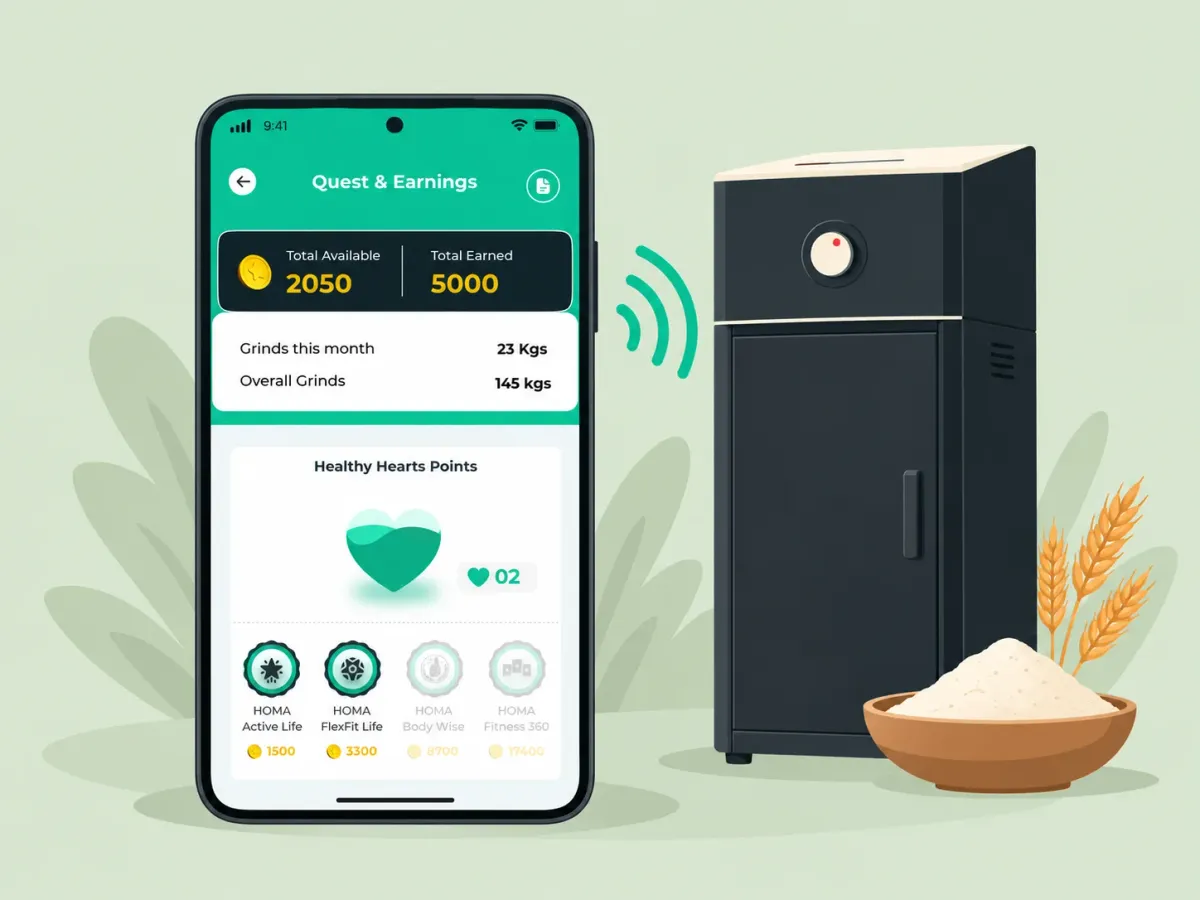
Illustration: the Homa app on a phone, sending a signal to a home flour mill

02 When it fits

When a native Android build fits

A native Android build fits when the app depends on device hardware, background work, wearables or budget Android phones.

Project traits

  1. The app talks to hardware. Accessories, tags, sensors or the camera are part of what the app does, not an extra. For example, pairing a Bluetooth device, reading an NFC tag or scanning with the camera.
  2. Work has to continue in the background. The app keeps tracking, uploading or syncing while it is closed. For example, background location for staff out in the field.
  3. The app lives beyond the phone screen. Part of it sits on the home screen, or on the wrist. For example, a Wear OS app paired with the phone app.
  4. The company manages the devices. The phones or tablets belong to the business and are set up for its staff, sometimes locked to one app.
  5. Performance is the product. The app is judged on how smoothly it runs, screen by screen.
  6. Your users are mostly on Android phones. Often modest ones, so the app has to work on the hardware and networks they actually have.

03 Budget phones

Built for budget phones and patchy networks

Most of your users may not carry a flagship or a strong signal. Five things are planned in from the start, so the app behaves on the phones and networks they do have.

  • A device matrix that includes budget phones

    Testing covers low-memory phones and older Android versions as well as flagships, on a device list agreed at the start.

  • Offline storage, with sync rules

    The data a user needs is kept on the phone, and changes made offline sync when the network returns, with a rule for which edit wins when two clash.

    For example Our own attendance app, ApnaStaff, works offline, so attendance gets marked even with no signal.

  • An app-size budget

    A limit on the download size, checked on every build, because storage on a budget phone is often nearly full.

    For example Images compressed, and rarely used features downloaded only when needed.

  • Battery-aware background work

    Background jobs are batched and scheduled within Android's background limits, so the app neither drains the battery nor gets stopped by the system.

    For example Location sent in batches, unless the product needs it live.

  • Tested on throttled networks

    Key flows are tried on slow and dropping connections, so a weak signal shows a clear wait or a retry rather than a frozen screen.

    For example A payment step that survives a network drop without charging twice.

04 How we build

Android app development services: how we build

Six decisions a CTO checks before shortlisting: the language and toolkit, the architecture, the tests, and how the app asks for and uses what the phone can do.

  1. 01

    Language and UI toolkit

    New apps are written in Kotlin, as our Homa app is. We agree the UI toolkit with you at the start, based on the app.

  2. 02

    Architecture

    A layered structure that keeps screens, business logic and data apart, following Google’s recommended app architecture, so each part can be tested on its own.

  3. 03

    Testing

    Unit tests for the logic, UI tests for the main flows, and a run on real devices before each release.

  4. 04

    Permissions asked in context

    Each runtime permission is requested at the moment a feature needs it, with the reason on screen, rather than all at once on first launch.

  5. 05

    Within the background limits

    Android restricts what an app may do in the background, so long-running work is handed to the system's own scheduler, which survives restarts and respects the battery.

  6. 06

    Play policy declarations

    Sensitive permissions such as background location need a declaration and a reason in the Play Console, so they are planned with the feature rather than discovered at review.

05 Google Play

Google Play release, and keeping the app current

A Google Play release runs in stages, and an app keeps its place on the store only by meeting Google's yearly target-API requirement.

  1. Testing tracks

    Why it matters

    Problems surface with people you chose, before the public sees them.

  2. The Data safety form

    Why it matters

    A form that does not match the app can hold up an update.

  3. Staged rollout

    Why it matters

    A bad update can be halted before it reaches everyone.

  4. The yearly target SDK

    Why it matters

    The current requirement and its deadline are on Google Play’s target API level page.

06 Shipped

Android apps we've shipped

Android apps for clients, including native apps for WAC and Homa, and three apps we publish and run ourselves on Google Play.

  • 01/06

    Homa

    The Android app in the full IoT ecosystem for Homa's smart atta chakki

  • 02/06

    Aadhar India

    The Android field app in Aadhar India's end-to-end loan management tool

  • 03/06

    WAC

    WAC's native Android app, for tracking UK shifts and earnings

Hiring instead?

07 FAQ

Questions about Android app development.

How much does Android app development cost in India?
In our draft cost bands, a simple single-platform app costs ₹3–6 lakh, and larger apps with a backend and admin run ₹15–30 lakh or more. What moves the figure is in our app development cost guide.
How long does it take to build an Android app?
Our draft MVP Launch package takes 8–14 weeks, depending on the number of screens, the backend and the integrations.
Can you publish and manage our app on Google Play?
Yes: we publish and run our own apps on Google Play, and can publish yours, handling the listing, testing tracks, staged rollout and review in your own Play Console account where possible. Google charges a one-time $25 developer fee.
Can you update our old Android app to meet Google Play's target API requirement?
Yes: we raise the target SDK, fix the behaviour changes it brings and re-test on real devices before Google’s deadline.
What should I look for in an Android application development company?
Look for apps the company has shipped and still runs on Google Play, a testing practice that covers budget phones and older Android versions, and a plan for Google Play's yearly target-API updates.
Do you build Android apps in Kotlin?
Yes: new Android apps are written in Kotlin.
Do you build Wear OS apps?
Yes: we build Wear OS apps that pair with the phone app. A watch app is a project of its own, covered on wearable app development.